
MapEngine
Premier GIS Visualization for Maximo
ActiveG MapEngine™ seamlessly integrates your enterprise Esri ArcGIS system with IBM Maximo Asset Management, with unparalleled ease and functionality, both for the implementers and the users.
For 20 years, ActiveG MapEngine continues to bring Maximo and GIS together in ways that make it easy for you to get the most out of both systems.
Mobile Map-based Work Management for Maximo
MapEngine gives you out-of-the-box mobile access to your maps and Maximo, so your field users can find and locate assets and work easily and accurately.
Two Apps in One. MapEngine’s user interface is responsive, allowing your mobile users to have the same rich mapping experience as desktop users. The UI allows your mobile users to create and update work orders and service requests without having to leave the map, saving time and avoiding user frustration.
You can also run MapEngine as a standalone browser-based app, giving users a completely mobile, map-centric, Maximo work management experience from the desktop, tablet, or mobile phone.
MapEngine 4 is here!
MapEngine 4 is an exciting new version, loaded with new features and improvements!

Create a spatial mobile work order in Maximo

MapEngine on a phone
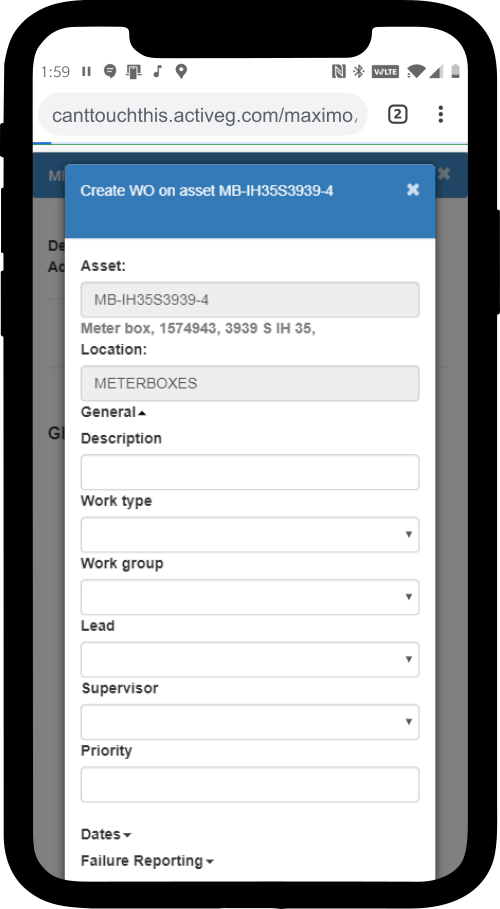
Create or update a Maximo work order in ActiveG MapEngine.
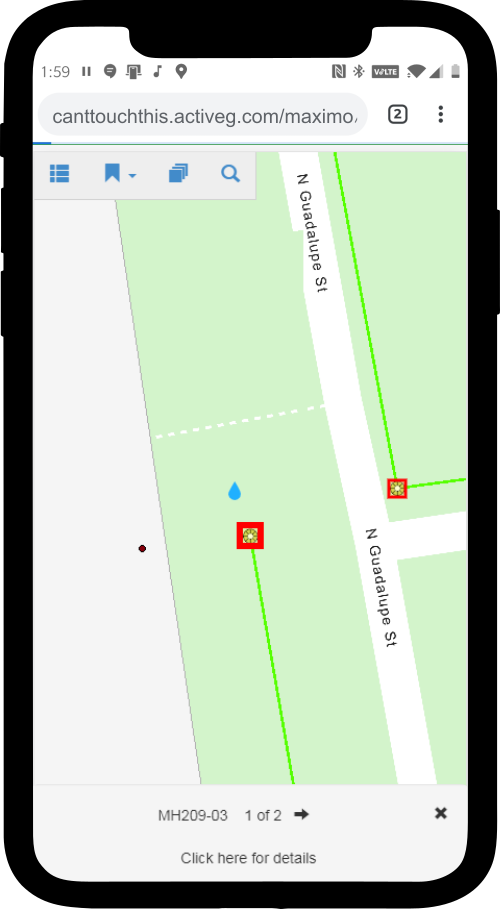
Page through a map view of your selected assets in ActiveG MapEngine.
MapEngine always supports the latest from Esri
As Esri partners, ActiveG ensures that MapEngine always supports the latest and greatest version of ArcGIS Server. So you never have to wait to take advantage of the best new features from Esri.

A Variety of Spatial Solutions
MapEngine’s flexibility and ease of configuration makes it perfect for a wide variety of different business processes and tasks. Whether your industry is focused on Water/Wastewater, Gas Transmission and Distribution, Electric T&D, Rail, Facilities Management, or something else, MapEngine can support your specific business requirements.
Spatial Reports
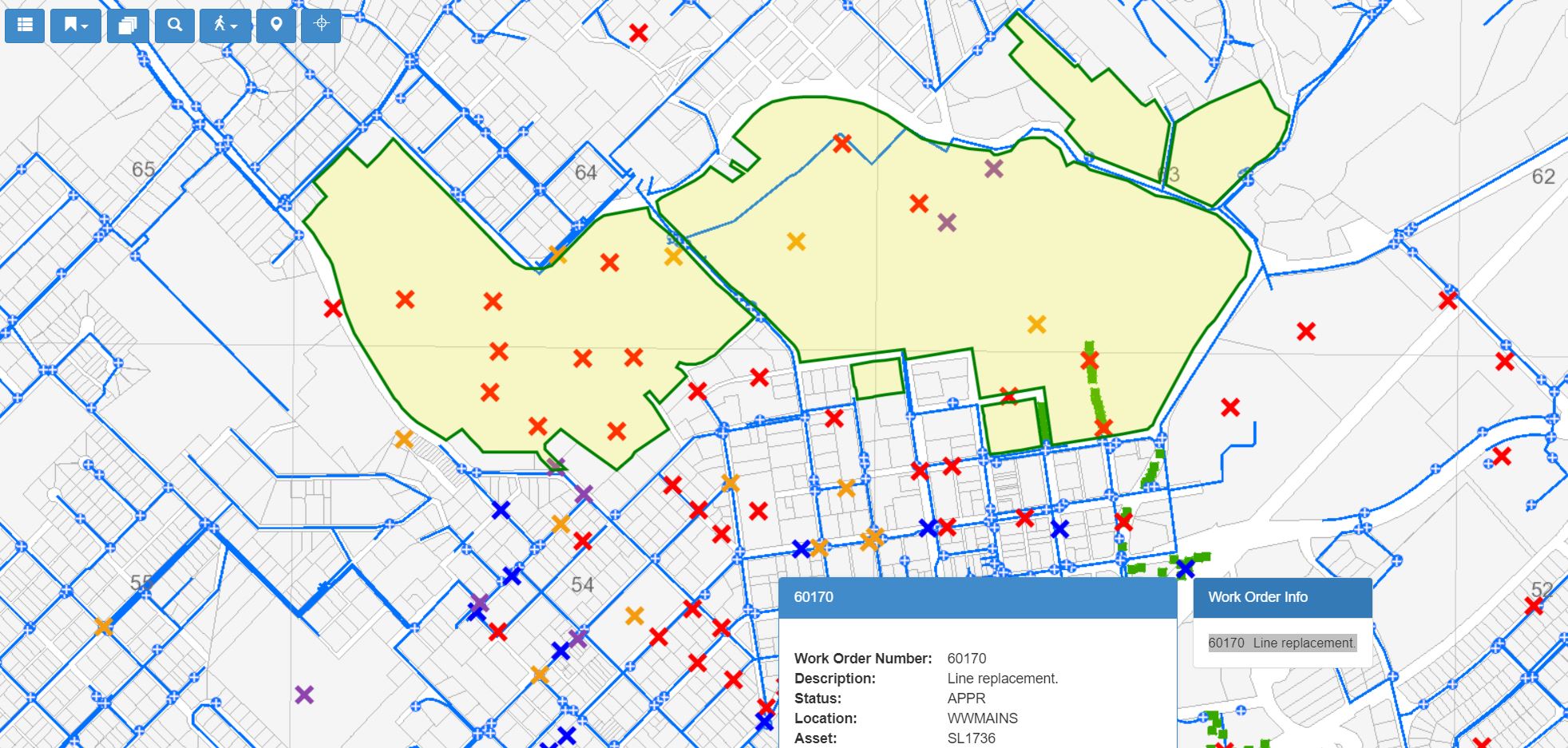
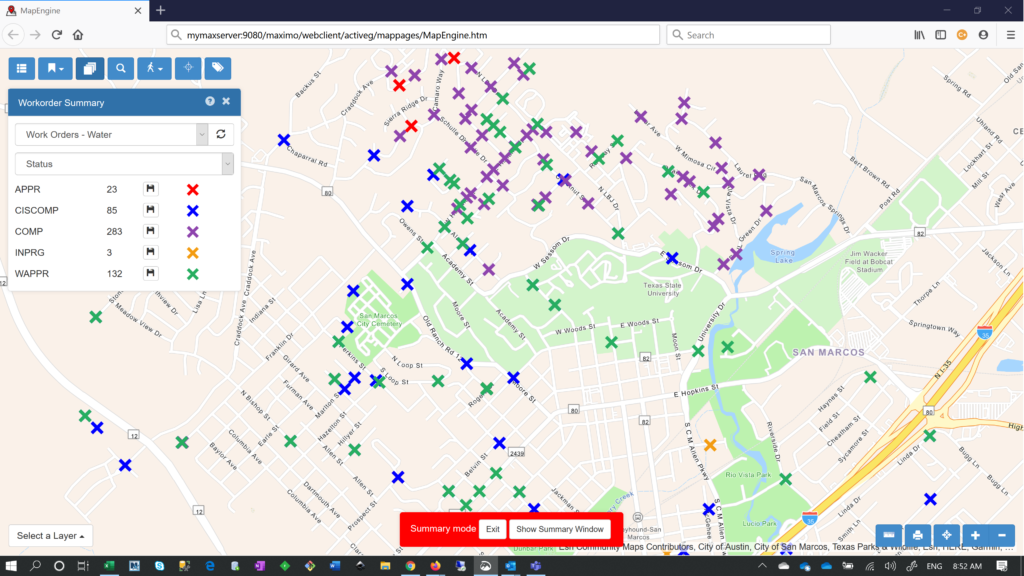
MapEngine provides powerful, user-driven, query-based spatial search and reporting capabilities that visually unlock Maximo data for your users.
Search Maximo spatially, using virtually unlimited parameters for a user-defined region or area on the map.
Customer story: Seattle Public Utilities
With ActiveG MapEngine™ embedded in the Call Intake and Dispatching applications, Seattle Public Utilities’ operators now have the ability to select utility assets from the map based on an address query and to see existing work orders when entering a new call or work order.
This has greatly reduced the time involved in entering calls and dispatching crews to respond to them.